Blog
Jesús Avendaño
·
Brands that scale don't stop at a single store. However, managing fragmented data across different Shopify accounts is often a slow process prone to errors.
To solve this, we have launched Multi-store, a feature designed to centralize operations for those managing multiple business units without losing the agility of a single interface.
Unified workflow
The premise is simple fewer open tabs and more clarity in your decisions. With Multi-store, you can link your Shopify accounts to create interconnected store groups. Once linked, the Dashboard and Reports allow you to jump from one store to another with a single click, viewing global or specific performance metrics in real time.
How to connect your stores
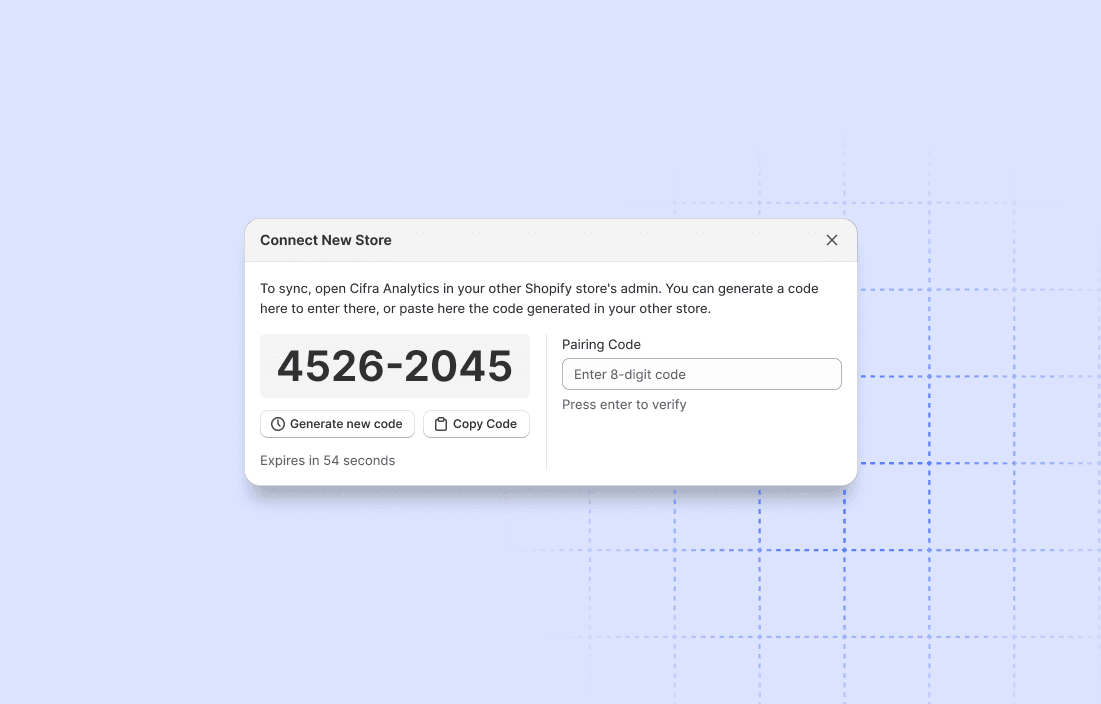
We have prioritized security and ease of configuration through a Pairing Code system.
Generate the code In the Stores section of your main store, select "Connect New Store" to get a unique pairing code.
Link the account Enter that code in the panel of the store you want to attach.
Sync access Make sure each store has its respective active plan to maintain the connection and constant data flow.}
Instant navigation
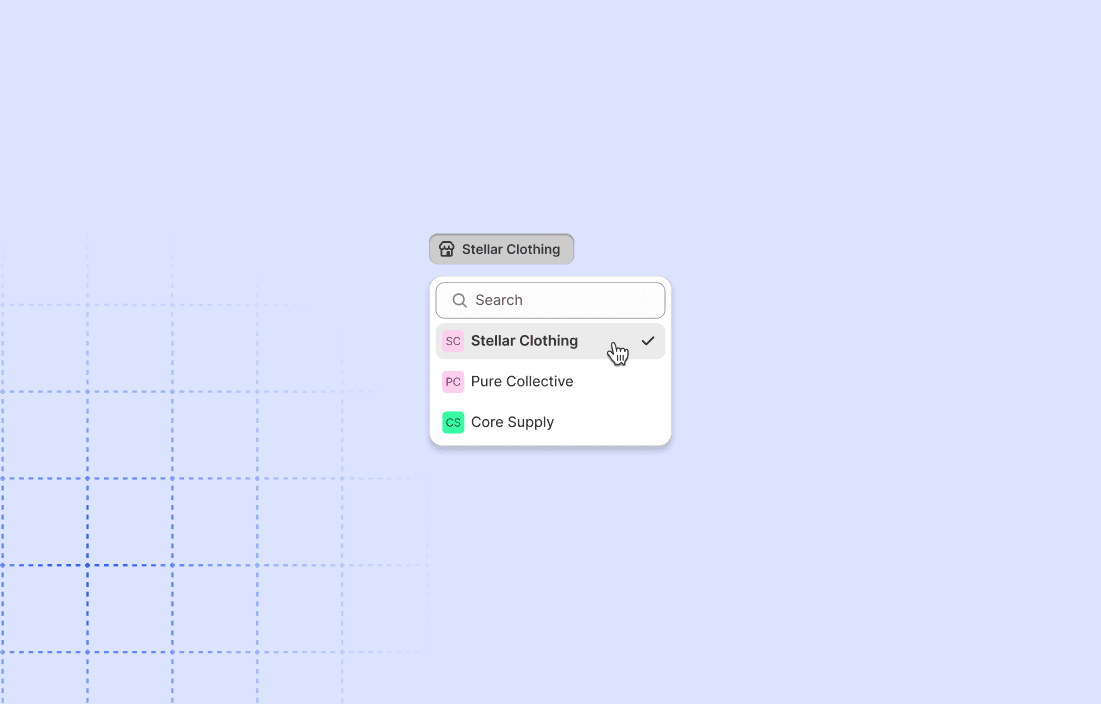
The true competitive advantage appears in daily use. When in the reports view, a new store selector in the top bar allows you to switch the data context without reloading the page. It is a fluid experience that eliminates the friction of logging in and out of different admin accounts.
This update is now available for all users. It is time to stop chasing data and start analyzing it from one single place.
Jesús Avendaño
·